1. Prepare your field
The styles read an integer field named lbcs_func holding LBCS Function codes such as 1000, 2100 or 2110. If yours has another name, rename it or edit the expression in the style.
 PENTOGIS
Free downloads / Symbology
Free symbology for the American Planning Association's Land-Based Classification Standards (LBCS) Function codes: style files for QGIS, ArcGIS Pro and SLD, a colour table with copyable hex codes, and a sample layer to test them.
Colour table
Click a hex or RGB value to copy it. Codes classify by their first digit, so 2110 and 2500 both use the 2000 colour.
| Code | Function | Colour | Hex | RGB |
|---|---|---|---|---|
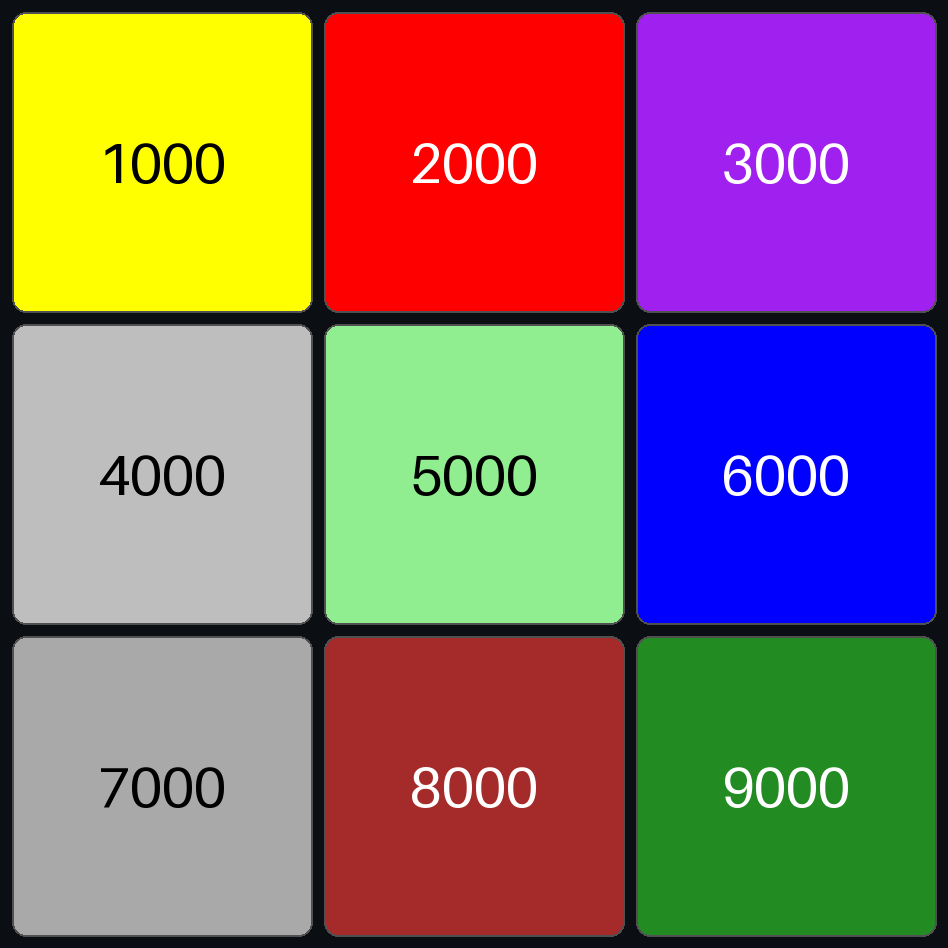
| 1000 | Residence or accommodation functions | Yellow | ||
| 2000 | General sales or services | Red | ||
| 3000 | Manufacturing and wholesale trade | Purple | ||
| 4000 | Transportation, communication, information, and utilities | Gray | ||
| 5000 | Arts, entertainment, and recreation | Light green | ||
| 6000 | Education, public administration, health care, and other institutions | Blue | ||
| 7000 | Construction-related businesses | Dark gray | ||
| 8000 | Mining and extraction establishments | Brown | ||
| 9000 | Agriculture, forestry, fishing and hunting | Forest green |
Compiled by PentoGIS from the APA LBCS Function dimension. Check the colours against the official standard at planning.org/lbcs before using them in adopted plans or regulatory maps.
Downloads
How to use it
The styles read an integer field named lbcs_func holding LBCS Function codes such as 1000, 2100 or 2110. If yours has another name, rename it or edit the expression in the style.
Open Layer Properties → Symbology, then Style → Load Style and pick lbcs-function.qml. The style groups codes with floor("lbcs_func" / 1000) * 1000.
Run the Apply Symbology From Layer tool with lbcs-function.lyrx as the symbology layer. It uses the Arcade expression Floor($feature.lbcs_func / 1000) * 1000.
Upload lbcs-function.sld as a style. Each class is a rule matching lbcs_func between 1000 and 1999, 2000 and 2999, and so on.
Use the CSV or JSON colour table, or copy hex codes straight from the table above.
Load lbcs-function-sample.geojson and apply the style. You should see nine squares matching the preview.
Good to know
The Land-Based Classification Standards, published by the American Planning Association, classify land uses in five separate dimensions: activity, function, structure, site and ownership. Each dimension has its own codes, so a building can be coded for what it is, what happens there and who owns it.
Function describes the economic purpose of the use, such as housing, retail or manufacturing. It's the dimension most land use and zoning maps are built on.
Not fully. The standard uses red, green and similar hues that some readers can't tell apart. For public maps, add labels, a clear legend, or patterns for key classes.
Yes. The styles colour by the first digit, so detailed codes inherit their parent colour. For finer maps, add lighter or darker shades of the parent colour for each subcategory.
Yes, they're free to download and use in your own projects.
Need a land use map?
From parcel data to a finished, LBCS-coded land use map and web viewer.